The Bottom Line
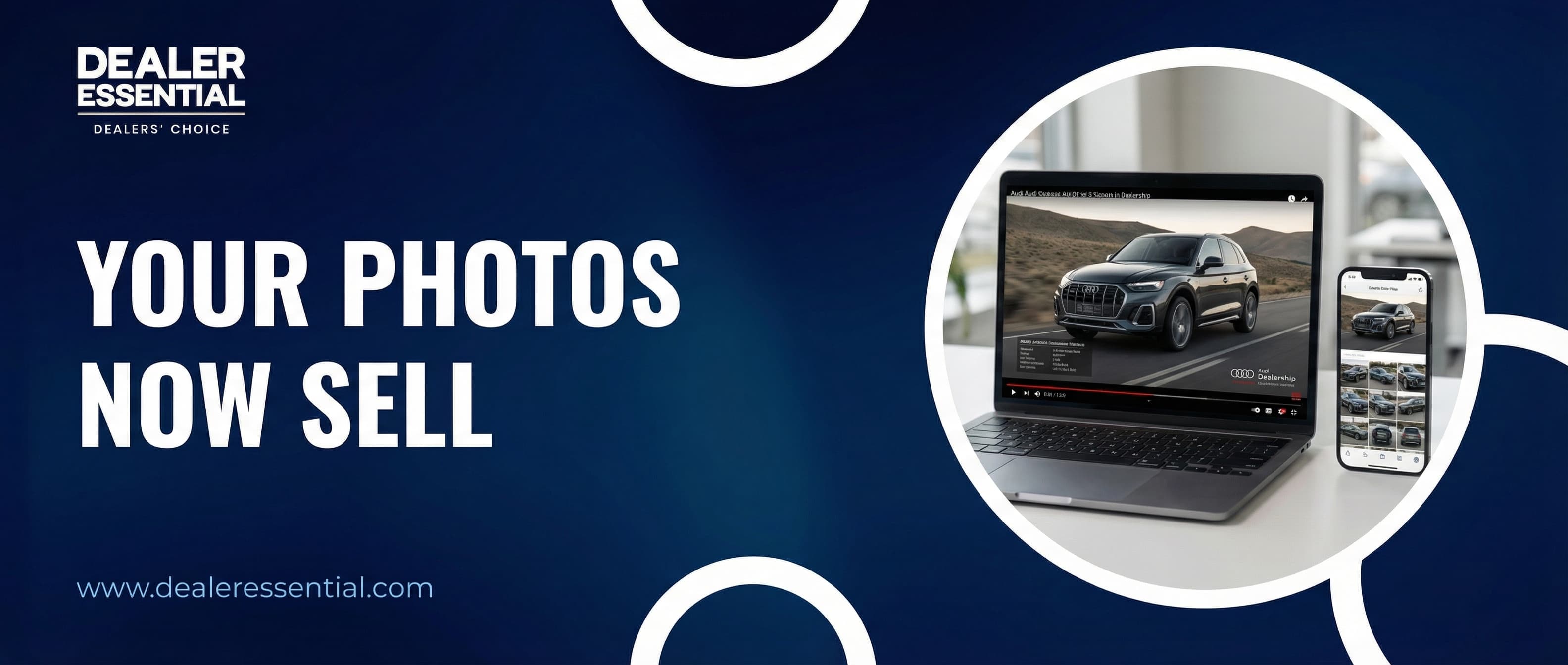
Video listings get 403% more inquiries than photo-only listings. But most independent dealers skip video because filming takes 20-30 minutes per car. AI Video Studio solves this: it uses your existing listing photos, classifies them by scene (exterior, interior, details, upgrades), adds a professional voiceover with your vehicle specs, layers in background music and your dealer branding, and renders a 1080p sales video in about 60 seconds. No camera. No editing. No extra photos. Just the ones you already uploaded.
"Marcus, I know I should be doing video. I see it works. But I'm one guy with 25 cars, and I don't have time to walk around every single one with my phone, edit the footage, upload it, and do that for every new unit that hits the lot."
I hear this every day. And my answer is always the same: what if you didn't need to film anything? What if the photos you already uploaded could become a professional sales video — with voiceover, music, and your dealership branding — in about 60 seconds?
Let me show you before I explain it.
From Listing Photos to Sales Video
Here are the original listing photos for a 2021 Audi Q3 S line — straight off the lot, nothing special:
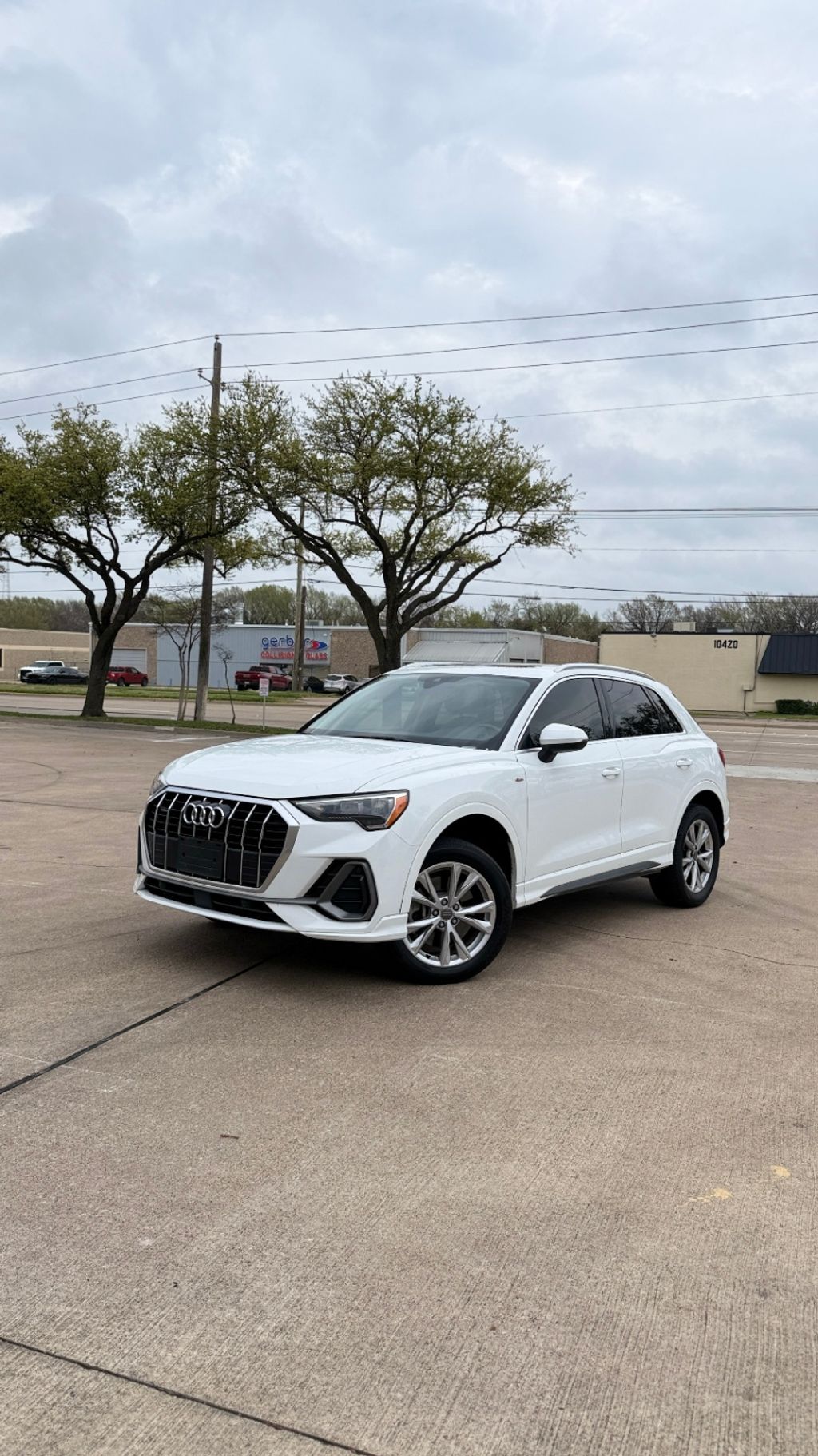
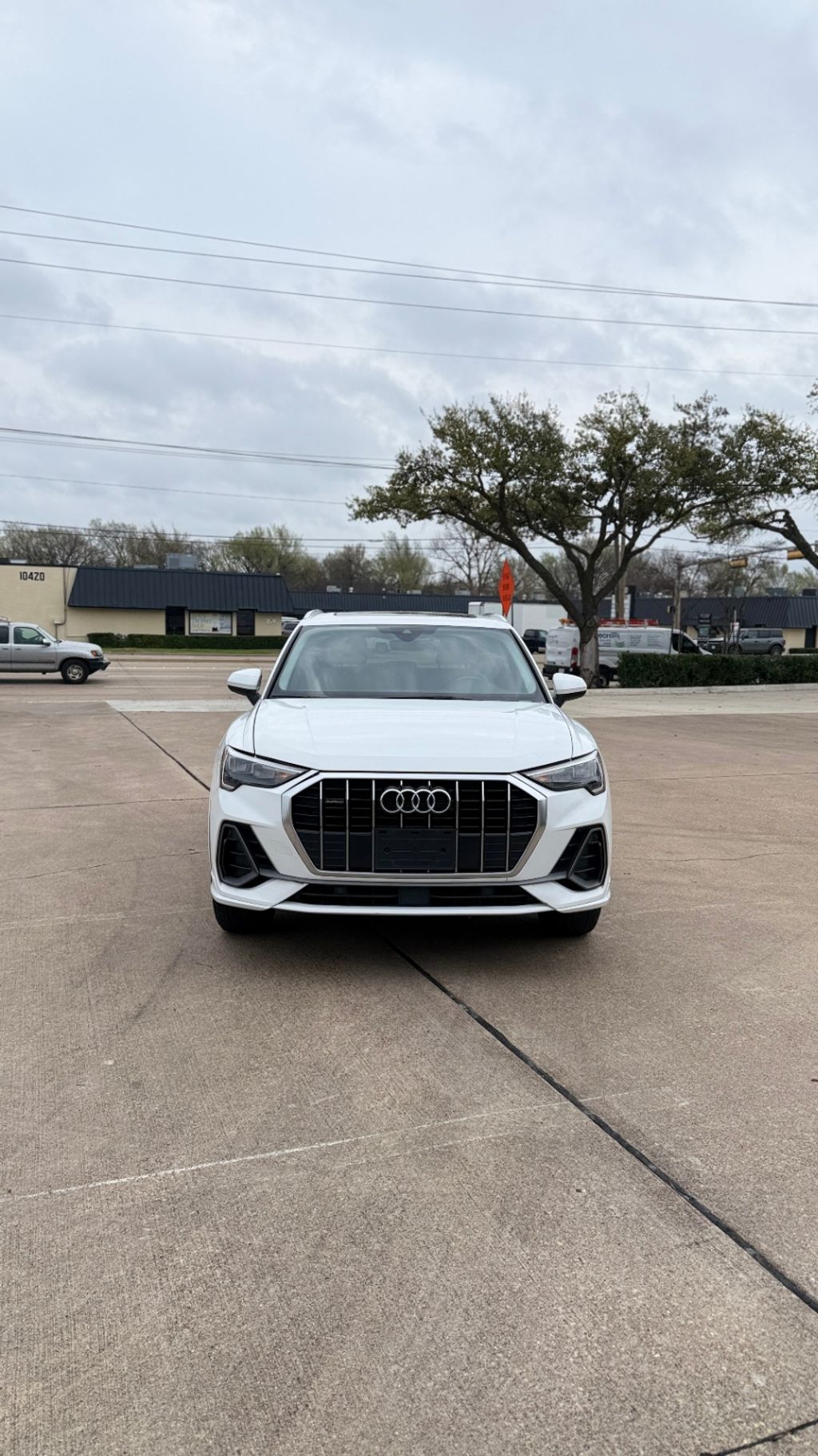
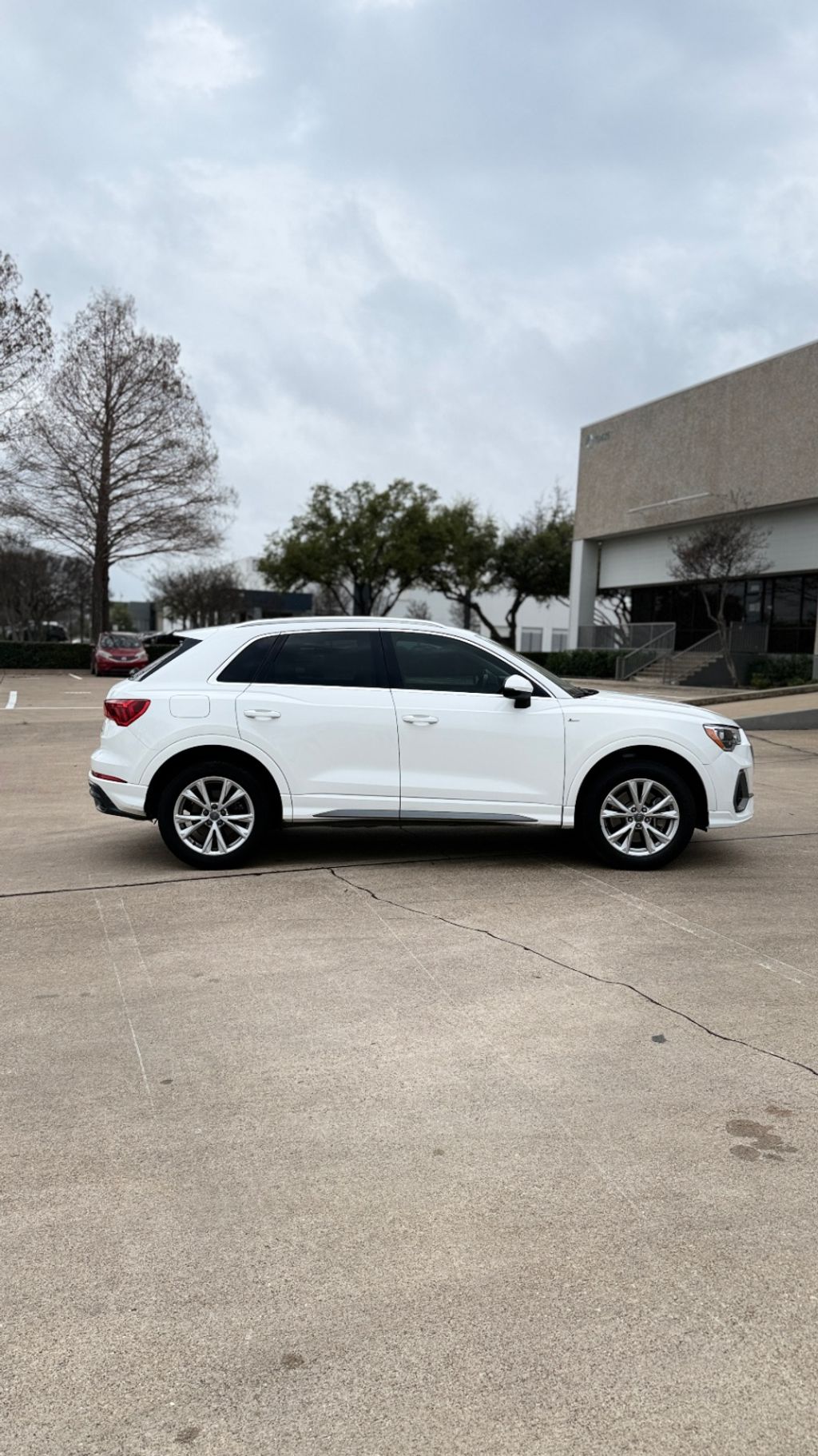
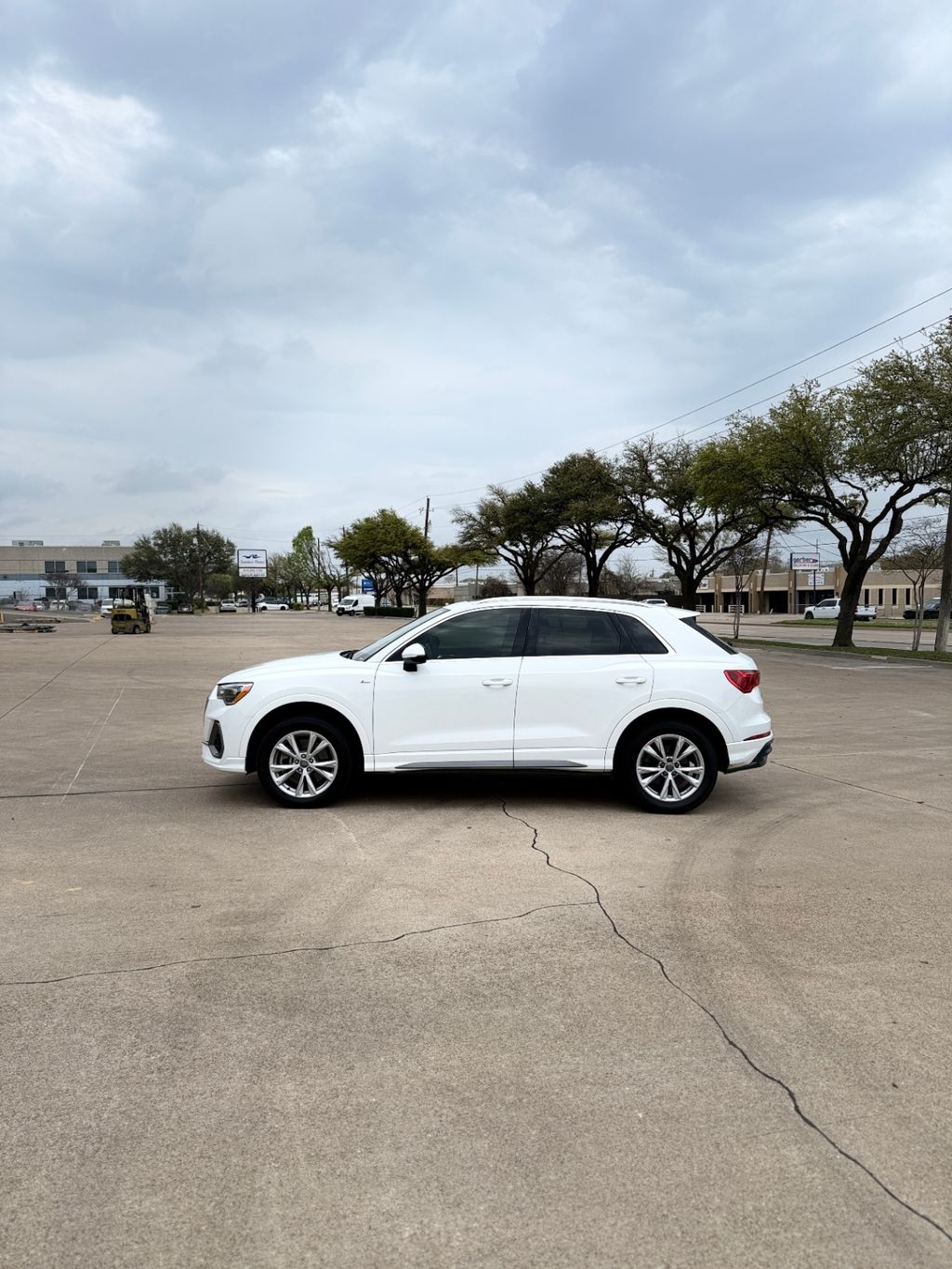
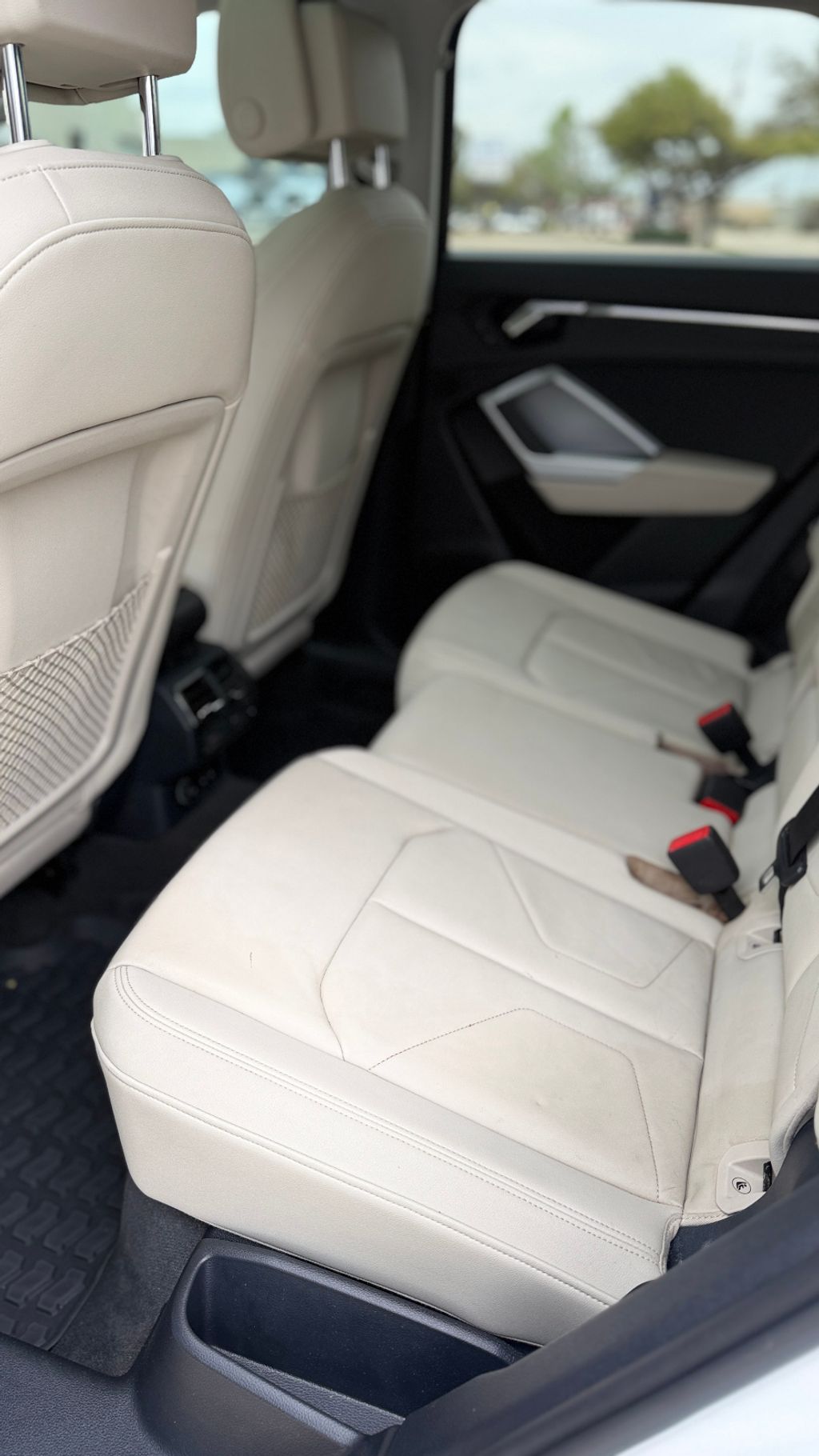
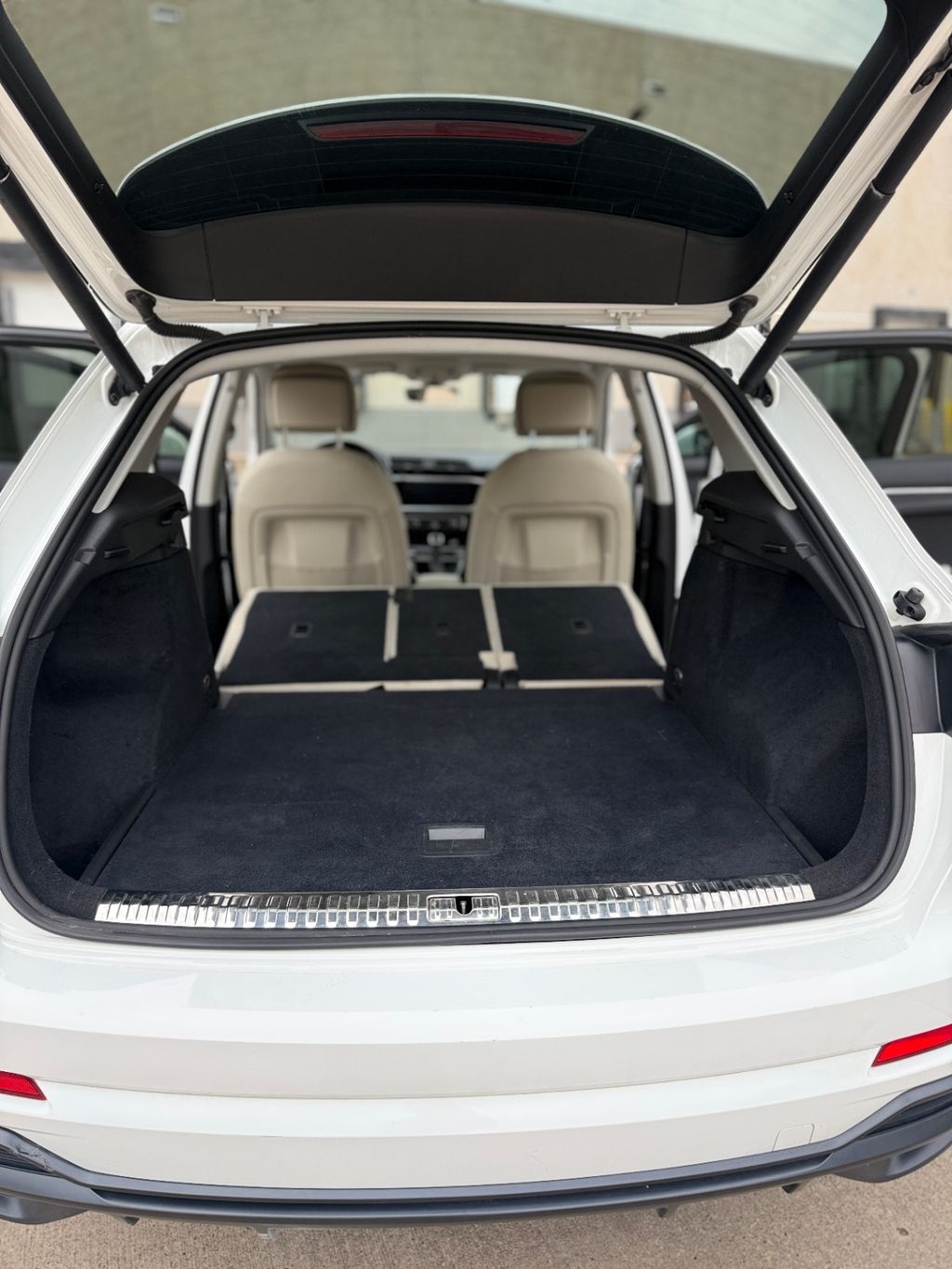
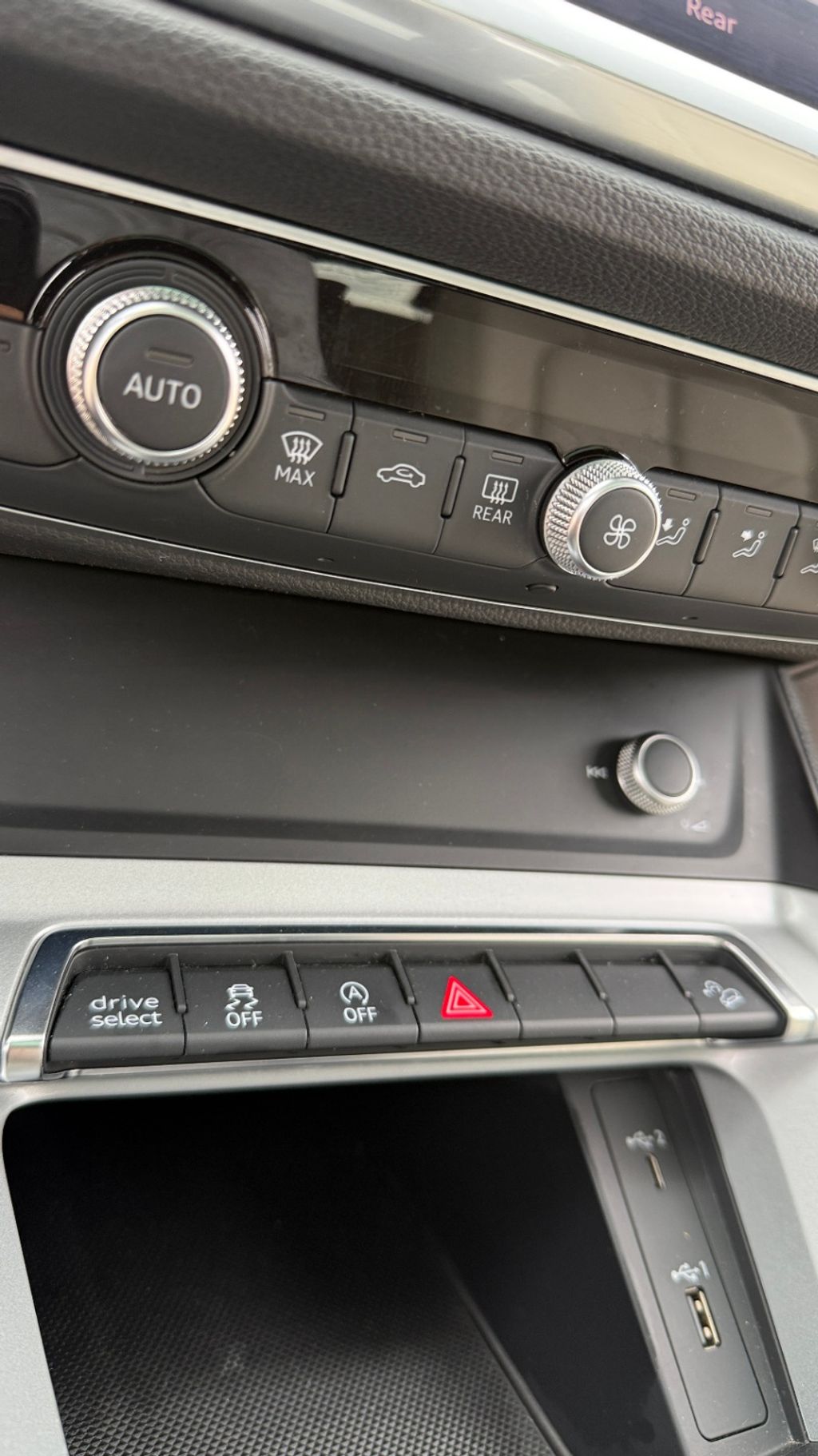
And here's what AI Video Studio turned them into — no filming, no editing, no equipment:
Professional voiceover. Background music. Your dealership branding, phone number, website. Factory upgrades called out with dollar values. All from photos that were already uploaded. Here's another one — a 2020 Alfa Romeo Giulia Ti:
And one more — a truck loaded with factory add-ons. This is where the build sheet data really shines:
Different cars, different segments, same process. Sedan, SUV, truck — the AI adapts to whatever you throw at it. Same listing photos every dealer already takes. That's the whole idea.
73%
of buyers more likely to purchase after watching video
403%
more inquiries on listings with video vs. photo only
< 60 sec
to produce a finished video from your photos
3 free
trial credits to test it on your own inventory
Why Most Dealers Don't Do Video (Yet)
I spent twelve years managing used car lots. When video first took off on Facebook, we tried it. The owner handed me a phone and said "go make videos." I spent an entire Saturday filming walkarounds. Monday morning, I had ten shaky videos sitting in my camera roll and zero idea how to edit or post them. That was the last Saturday I spent filming.
Most dealers have the exact same story. The math is brutal: filming a walkaround takes 15-20 minutes. Editing and uploading is another 15-20. For a 25-car lot, that's 12-15 hours a month just for video. Hiring someone costs $50-150 per car — $750-2,250/month if you're turning 15 units.
So the choice becomes: spend hours you don't have, spend money you don't have, or just skip video entirely. Most dealers pick door number three. The problem was never whether video works — everyone knows it does. The problem was the time and effort required to make it.
How AI Video Studio Actually Works
You saw the result above. Here's what happens behind the scenes when you click "Create Video":
Step 1: AI Photo Analysis
The AI examines every photo in your listing and classifies them: exterior, interior, detail, features. It selects the strongest photos for each scene — an exterior hero shot for the intro, a clean interior for the cabin segment, detail shots for features and upgrades. Not every photo makes the cut. The AI picks the ones that tell the best visual story.
Step 2: Vehicle Data and Specs
The system pulls your vehicle data — year, make, model, trim, mileage, price, engine, drivetrain, transmission — and enriches it with build sheet data when available. If the vehicle came loaded with factory upgrades or packages, those get highlighted with dollar values. This isn't generic filler text. It's the actual specs and features of that specific car.
Step 3: Professional Voiceover (Optional)
The AI writes a narration script tailored to the vehicle — its standout qualities, specs, and price point. A professional-quality synthetic voice records it, timed precisely to each scene. You choose from multiple voice options. The voiceover covers the same highlights a salesperson would hit on a lot walk: powertrain, interior, upgrades, price, and a call-to-action with your dealership contact info. Prefer no narration? Toggle it off.
Step 4: Music, Branding, and Rendering
Choose from several background soundtracks — cinematic, upbeat, chill, commercial, smooth jazz, or feel-good. With voiceover enabled, the music automatically ducks so the voice stays clear. Your dealership branding gets baked in: logo, accent colors from your Dealer Essential website theme, phone number, address, and website URL. The whole thing renders in 1080p HD.
Pro Tip
What's Inside Every AI Video
- Branded intro — your dealership name, the vehicle year/make/model/trim, and a hero exterior shot with smooth zoom animation
- Specs segment — mileage, engine, transmission, drivetrain displayed as clean on-screen text over exterior photos
- Interior showcase — interior photos with feature callouts, upholstery details, cabin highlights
- Upgrades and features — if the vehicle has factory packages or notable options, they're called out individually, sometimes with dollar values from the build sheet
- Price reveal — "Today's Exclusive Price" with the listing price displayed prominently (or "Contact Us" if you prefer)
- Branded outro — your website URL, phone number, and address with your dealership logo and colors
With voiceover, the total runs about 40 seconds — long enough to cover everything, short enough to hold attention. Without voiceover, it's tighter. Either way, the video is formatted for horizontal (16:9) playback — ideal for your website, YouTube, and Facebook.
Where Dealers Are Using These Videos
The most immediate use: your dealer website. When a buyer lands on a vehicle detail page and sees a professional video, it signals legitimacy. It says "this is a real dealership that invests in its presentation." For independent dealers competing against franchise lots, that signal matters enormously.
But dealers are using them everywhere:
- Dealer website — set the video as the featured media on any vehicle detail page. One click in Dealer Essential.
- Facebook and Instagram — download the MP4 and post it as a video ad or organic content. Video posts get 135% more organic reach than photo posts on Facebook.
- YouTube — build a vehicle inventory channel. Each video becomes a searchable asset. Buyers search YouTube for specific year/make/model constantly.
- Text and email to leads — when a lead asks about a specific car, send them the video link. It's more engaging than sending five photos individually.
- Google Business Profile — video posts on GBP stand out in local search results.
Real Talk
AI Video vs. Manual Walkarounds: When to Use Each
I want to be straight with you: AI Video Studio is not a replacement for every type of video you could make. It's a replacement for the video you're NOT making because you don't have time.
Here's how I think about it:
AI Video vs. Manual Walkaround
| AI Video Studio | Manual Walkaround | |
|---|---|---|
| Time per car | < 60 seconds | 20-30 minutes |
| Equipment needed | None (uses listing photos) | Phone, tripod, mic |
| Editing required | None | Yes — trim, title, export |
| Voiceover | Professional AI voice | You, on camera or narrating |
| Branding | Automatic (logo, colors, contact) | Manual (if at all) |
| Consistency | Every video looks professional | Quality varies by day |
| Personal touch | Lower — no face on camera | Higher — buyers see you |
| Scalability | 25 cars in 25 minutes | 25 cars in 10+ hours |
| Best for | Every car on the lot, fast | Featured units, personal brand |
The smart play: use AI Video Studio for every vehicle on your lot so nothing goes without a video. Then film personal walkarounds for your 2-3 best units each week — the ones you really want to push. That way you get coverage and personality.
The Numbers Behind Video Listings
I'm not going to pretend these numbers apply to every dealer in every market. But the research is consistent enough across multiple sources that it's hard to argue against:
- 403% more inquiries — listings with video receive significantly more buyer inquiries than photo-only listings (Biteable, 2024)
- 73% more likely to buy — consumers are 73% more likely to purchase after watching a product video (Animoto)
- 135% more organic reach — video posts on Facebook get 135% more organic reach than image posts (Socialbakers)
- 2x time on page — visitors spend twice as long on vehicle detail pages that include video (Cox Automotive)
- 80% of buyers — say online video has directly helped them make a vehicle purchase decision (Google/Ipsos)
Think about what that means for a 25-car lot. If video doubles your inquiry rate on even 30% of your inventory, that's several additional leads per month — from content that took you minutes to produce, not hours.
And here's the part people miss: video doesn't just get you more leads. It gets you better leads. A buyer who watched your video already knows the car's condition, features, and price. They're further down the funnel when they call. The conversation starts at "when can I see it?" instead of "tell me about it."
What It Costs
AI Video Studio runs on a credit system. Each video you generate uses one credit. When you first access the feature, you get 3 free trial credits — enough to test it on a few vehicles and see the quality before spending anything.
After that, you purchase credit packs. The per-video cost works out to a fraction of what you'd pay a freelancer — and the video is ready in about a minute instead of a few days.
Compare that to the alternatives:
- Freelance videographer: $50-150 per car, requires scheduling, 2-5 day turnaround
- DIY walkaround: Free in dollars, but 20-30 minutes of your time per car (your time has a cost)
- Video marketing service: $200-500/month for templates, still requires you to film the footage
- AI Video Studio: Credits-based, 60 seconds per video, no filming required
For a small dealer, the math is simple: if one additional sale per month comes from having video on your listings, the credits pay for themselves many times over.
How to Get Started
AI Video Studio is built into Dealer Essential. You access it from the Video tab when editing any vehicle in your inventory. Here's the quick version:
- Upload good photos — minimum 3, but 8-12 covering all angles gives the AI the most to work with. Exterior front/rear/sides, interior, dashboard, cargo, and any standout features.
- Open the Video tab — in Edit Vehicle or the Magic Lister finish flow, click the Video tab.
- Choose your options — toggle voiceover on/off, pick a voice, select background music. Your preferences are saved for next time.
- Click Create Video — the AI analyzes your photos, builds the timeline, renders the video. About 60 seconds.
- Preview and publish — watch the video, download the MP4, or set it as the featured video on your dealer website with one click.
You can create multiple versions of the same vehicle's video — maybe one with voiceover and one without, or one with different music. Each version uses one credit, and you pick which one goes on your website.
Try It Free
What AI Video Won't Do (And What Still Matters)
I want to set expectations correctly.
AI Video Studio produces a polished, professional-looking sales video from photos. It does not produce a personal walkaround where your face is on camera. It doesn't capture engine sounds, slam doors, or show how the trunk opens. It's not a replacement for building a personal brand on video — it's a replacement for having no video at all.
And that distinction matters, because the vast majority of independent dealers are in the "no video at all" category. Going from zero video to professional AI video on every car is a massive leap. Going from AI video to also doing personal walkarounds on select units is the next step — but get the baseline covered first.
A few other things that still matter regardless of how your video is made:
- Photo quality is everything. The video is only as good as the photos you upload. Dark, blurry, or cluttered photos produce dark, blurry, or cluttered videos. Take your listing photos in good light with a clean background.
- Speed still wins. The best video in the world won't help if the car's been on the lot for 60 days before you create it. Generate the video the same day you photograph the car.
- Distribution matters. A video on your website is good. A video on your website AND Facebook AND YouTube AND texted to your lead list is better. Use the MP4 everywhere.
- Price your cars right. Video will get more eyes on your listing. If the price is wrong, more eyes just means more people passing. Video amplifies whatever is already there — good pricing and bad pricing alike.
The Dealer Who Has Video on Every Car Wins
Here's what I know after talking to thousands of dealers: the ones who consistently include video in their listings sell faster, get more inquiries, and attract more serious buyers. This has been true for years.
What's changed is that it no longer requires hours of your time, expensive equipment, or editing skills. The photos you're already taking can become a professional sales video in about a minute.
You don't need to be a content creator. You don't need a ring light or a lapel mic. You don't need to learn Adobe Premiere. You need photos of your cars — which you already have — and 60 seconds.
That's the gap AI Video Studio closes. Not "should dealers do video?" — everyone agrees on that. The gap was "how do I actually do it without losing my mind?" Now you have an answer.
Try it on three cars. See the quality. Then decide if every car on your lot deserves a video.
I think you already know the answer.